Portfolio analysis
115 kWp commercial rooftop cost and procurement control
The bill of materials, procurement and cost tracker for a 115 kWp commercial rooftop, with a Power BI report and supporting design and yield analysis.
BOM and cost tracker
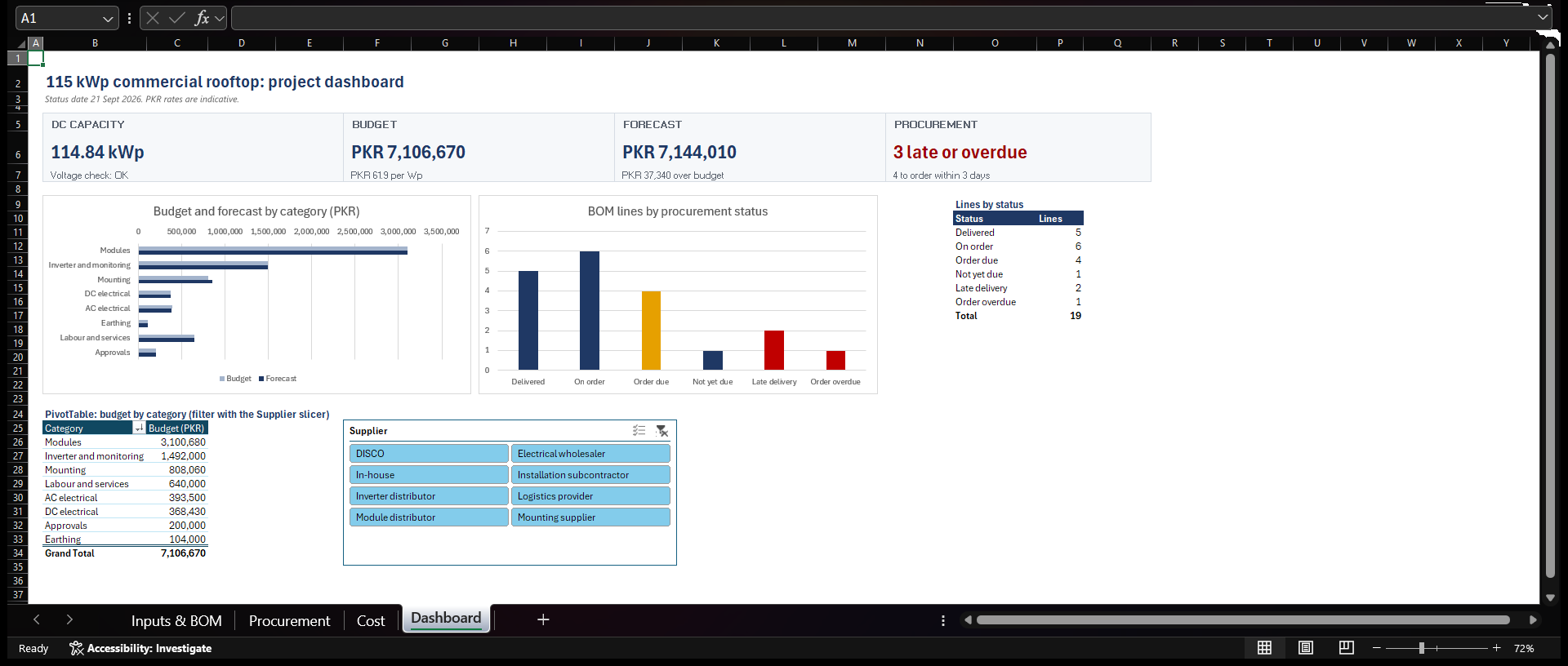
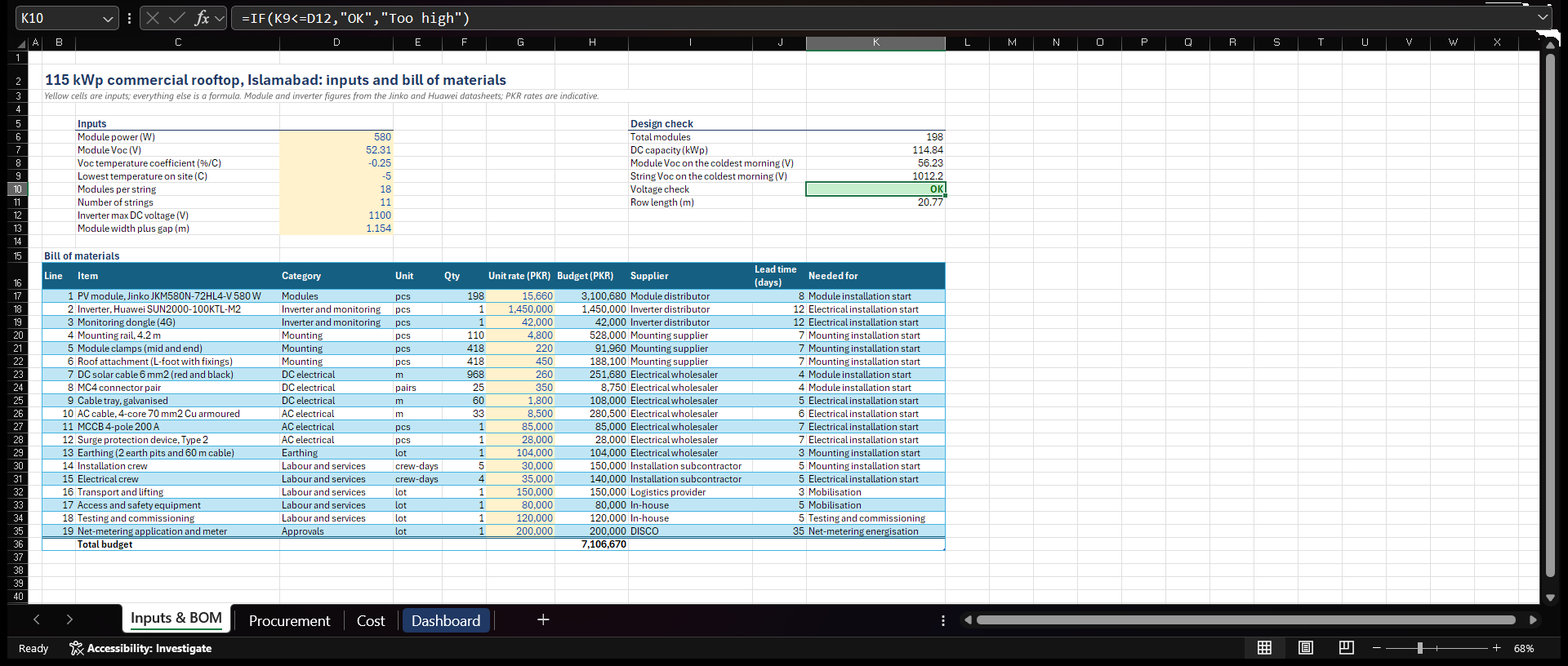
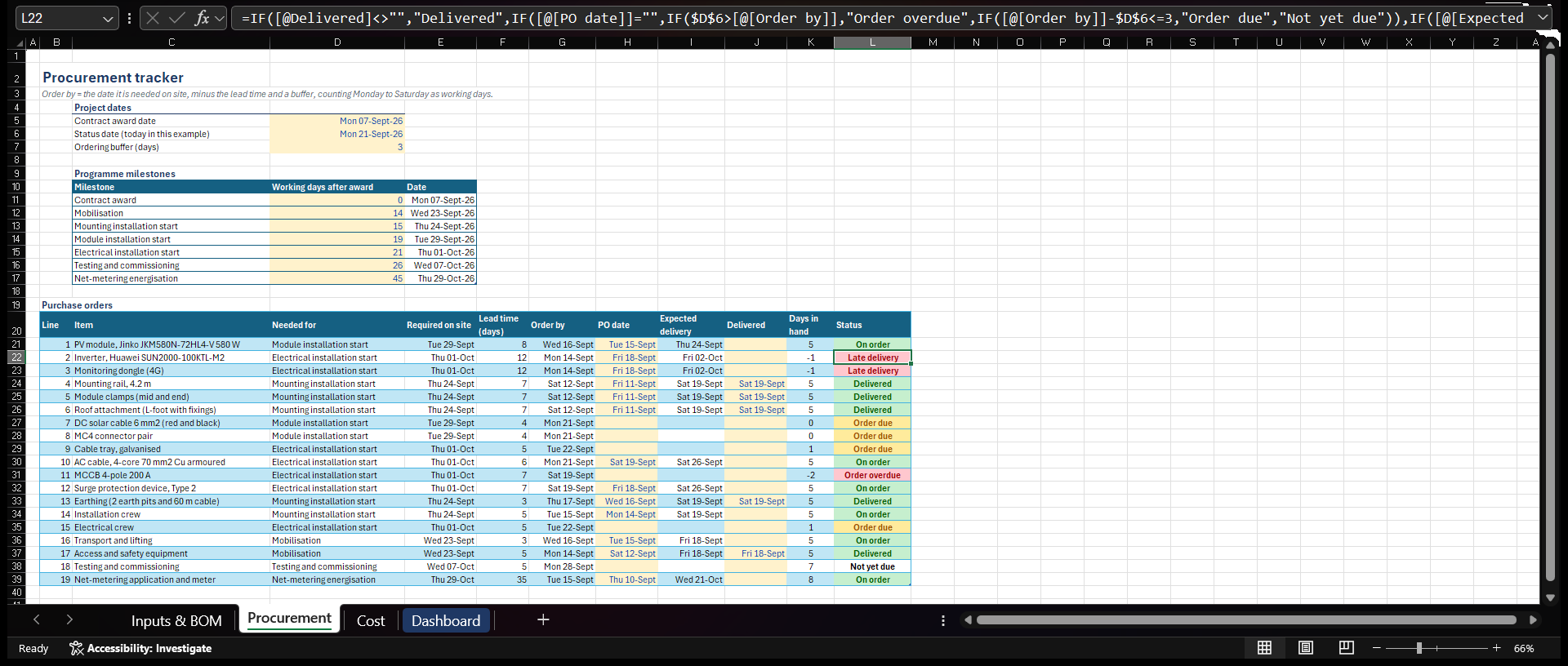
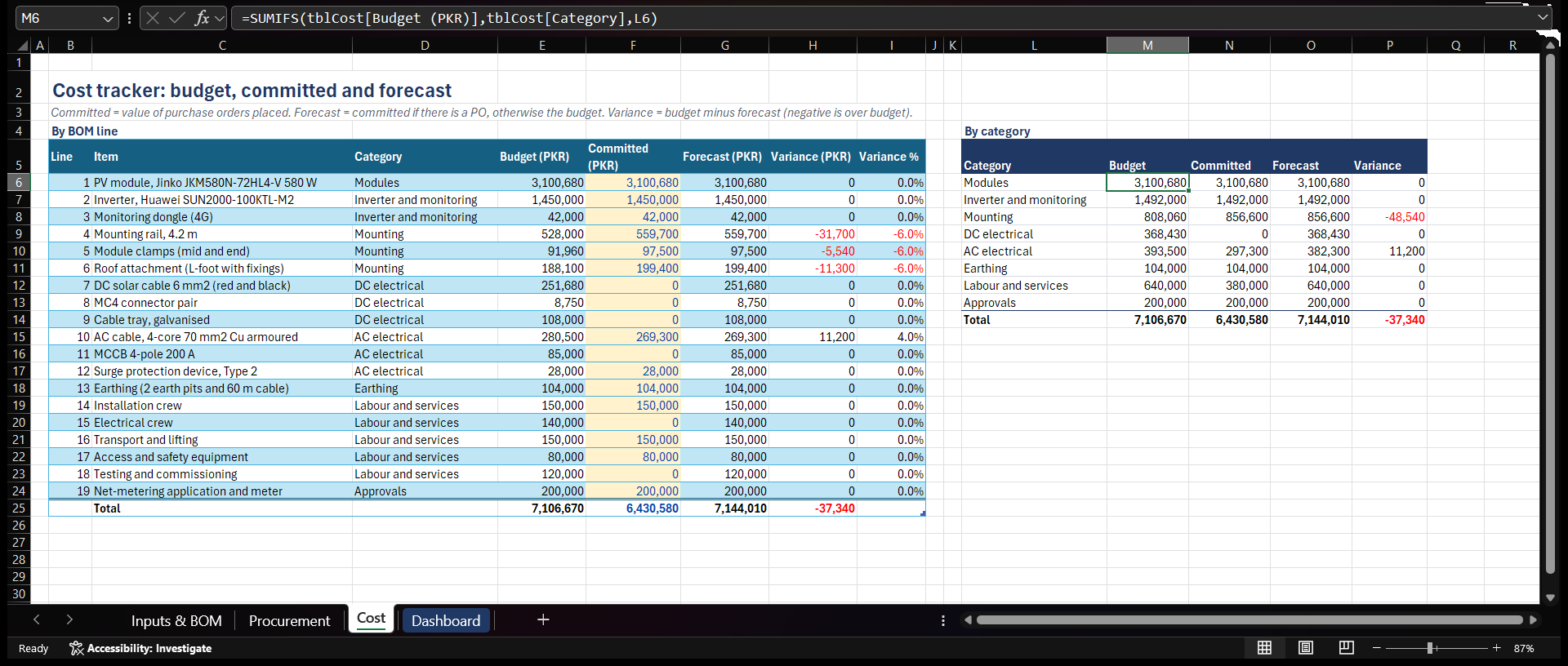
A project workbook for a 115 kWp commercial rooftop in Islamabad, with 198 Jinko 580 W modules in 11 strings on a single Huawei SUN2000 inverter. It checks the string design against the inverter's voltage limit, prices the bill of materials, sets an order-by date for each item from the date it is needed on site, and tracks budget against committed and forecast cost.
A dashboard sums up the job: cost position, late and overdue orders, and spend by supplier. The workbook uses Excel Tables, XLOOKUP, SUMIFS, COUNTIF, nested IF and WORKDAY.INTL, with conditional formatting and a PivotTable with a slicer. Module and inverter data come from the manufacturers' datasheets. The order and delivery dates in the tracker are examples, and the PKR rates are indicative: the PKR 7.11M budget works out at about PKR 62 per Wp.
Download the workbook (.xlsx) to see the formulas.
Reporting dashboard
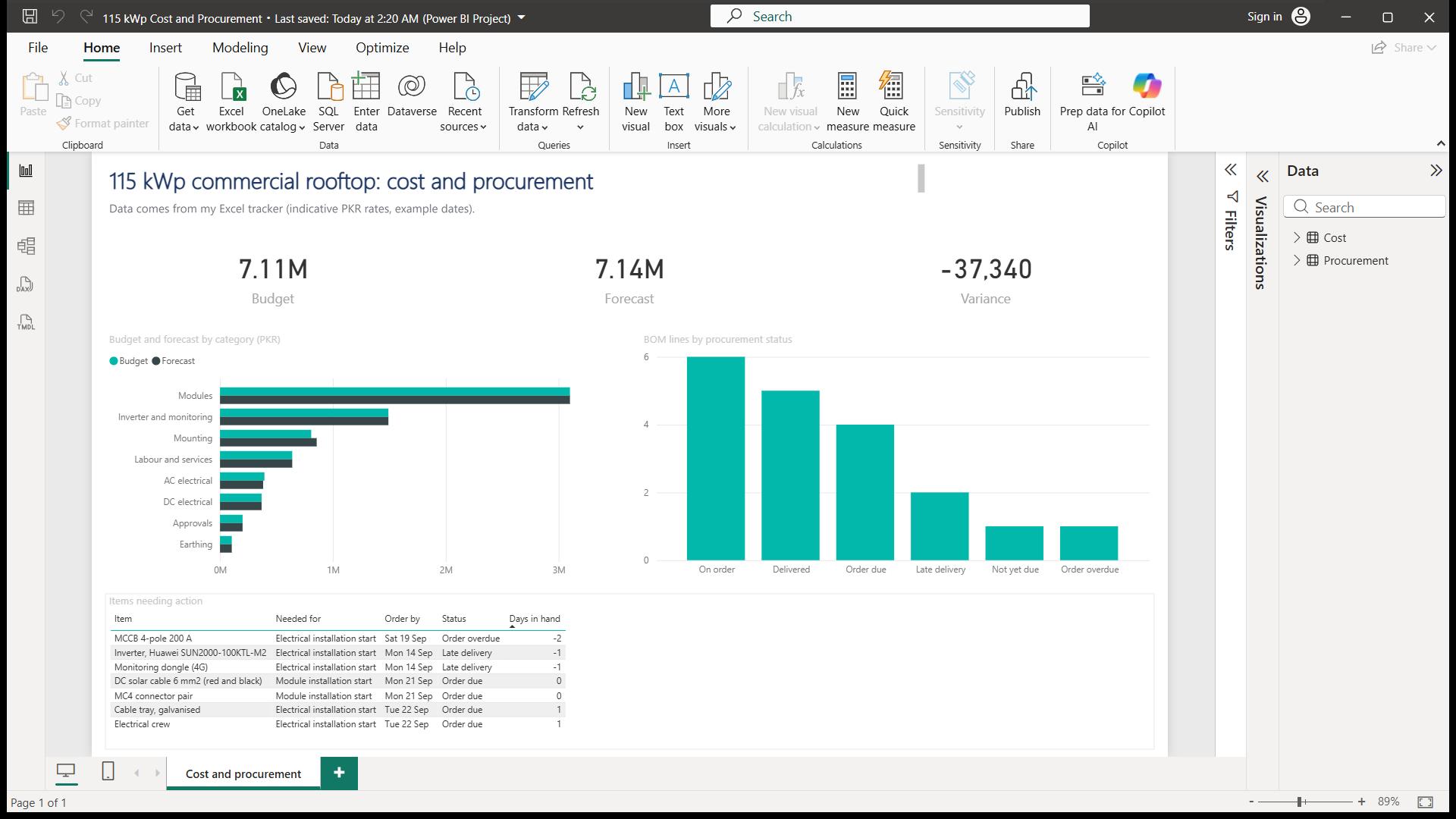
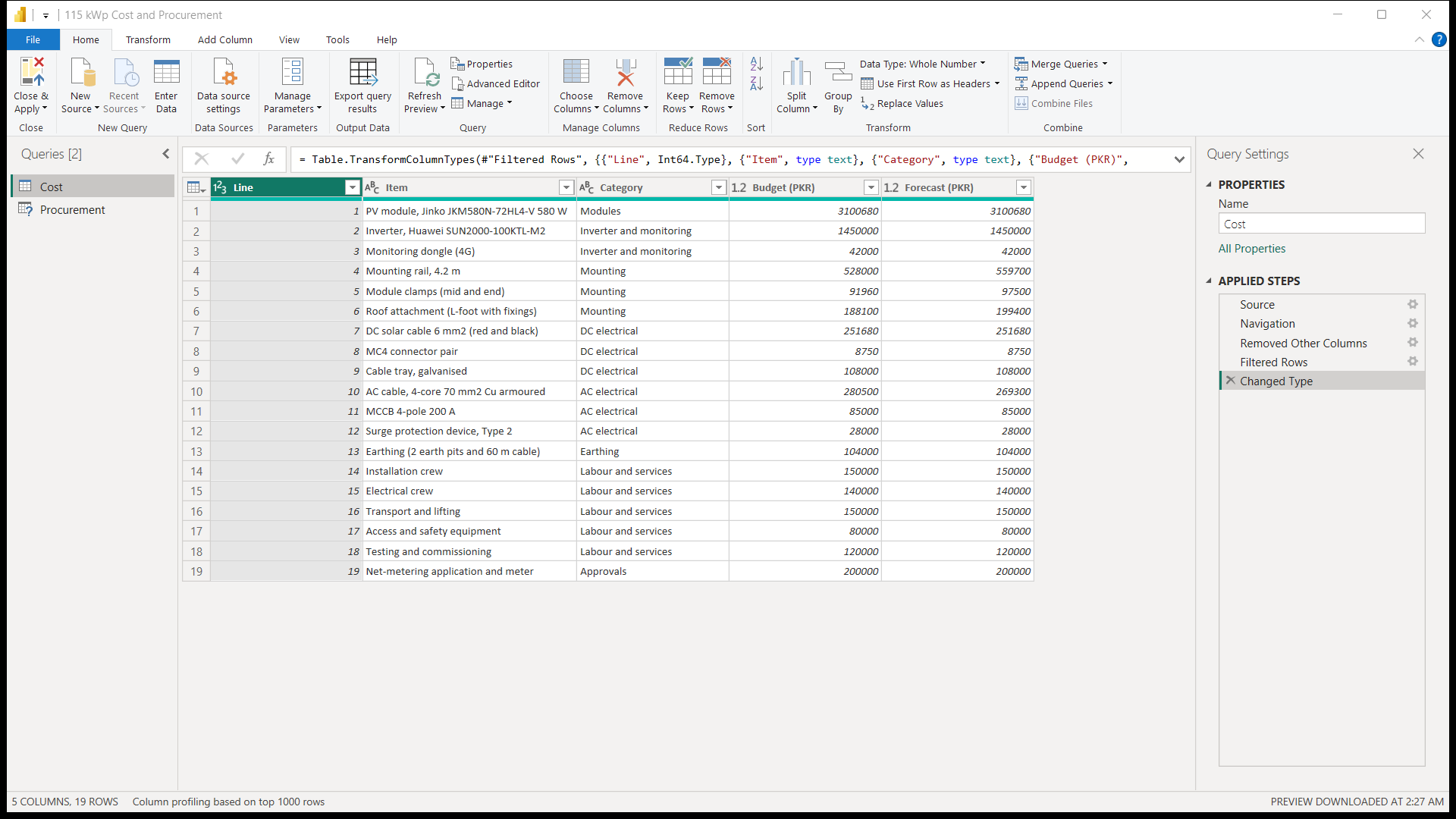
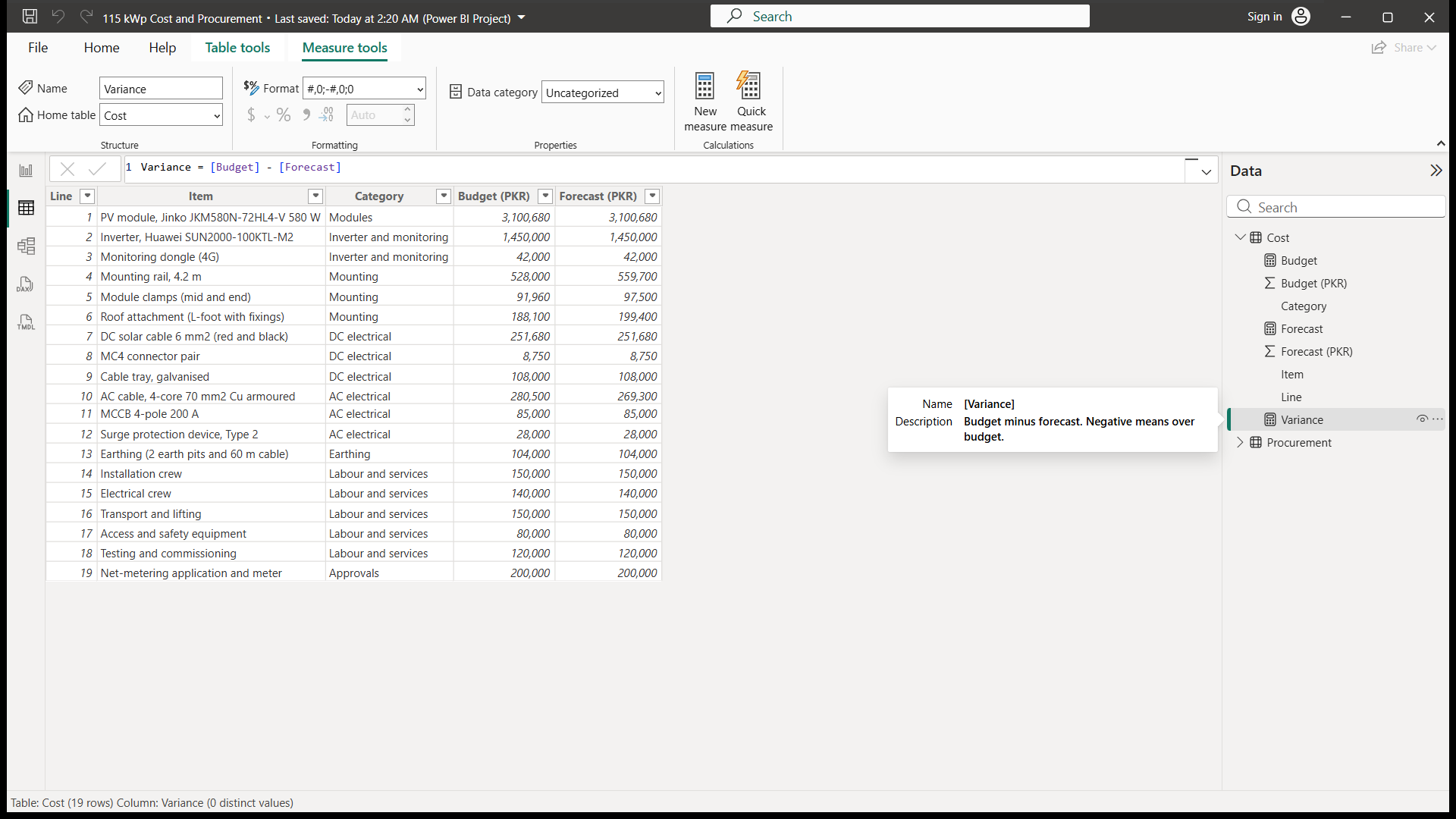
A one-page report for the same 115 kWp rooftop, fed from the Excel tracker. It shows budget, forecast and variance at a glance, compares budget and forecast for each cost category, counts BOM lines by procurement status, and lists the items that need action, most urgent first.
Power Query imports and cleans the cost and procurement tables, and four DAX measures (Budget, Forecast, Variance and Lines) drive the visuals. The totals agree with the Excel workbook, and as with the workbook, the PKR rates are indicative.
Procurement database
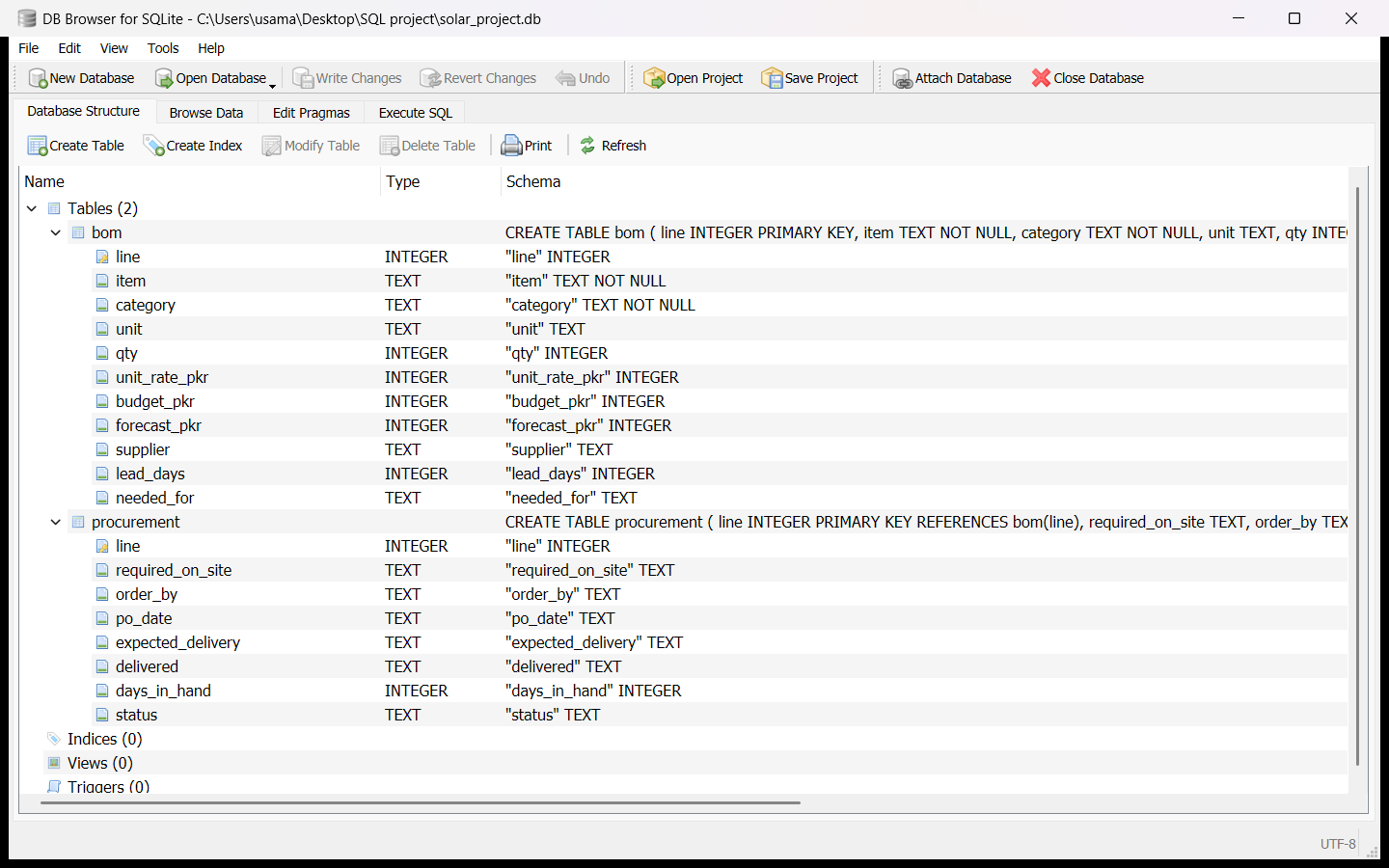
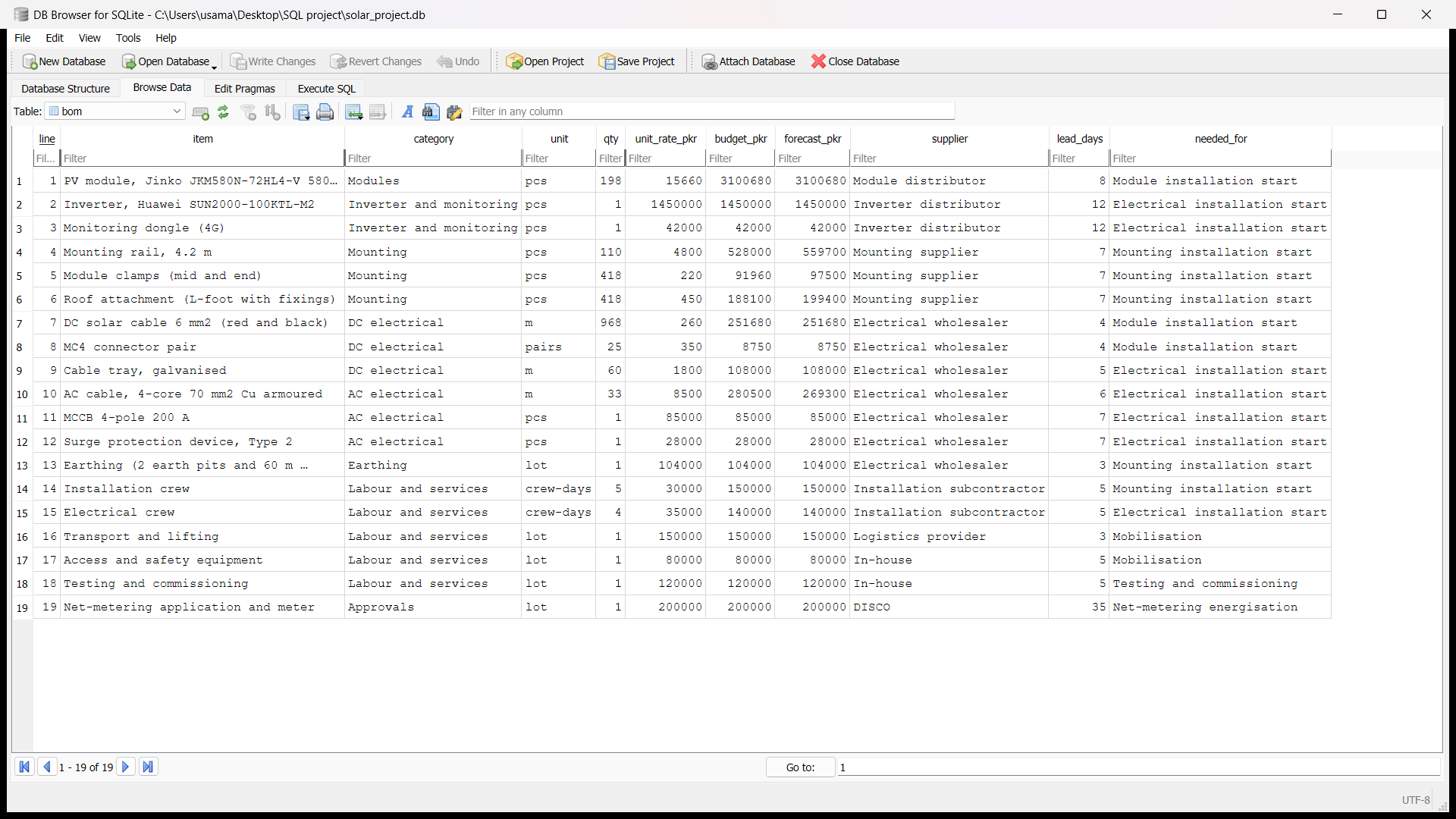
An SQLite database for the same 115 kWp rooftop, built from the Excel tracker. It holds two linked tables: the bill of materials, with quantity, rate, budget and forecast for each of the 19 lines, and the procurement record for each line, with its order-by and delivery dates and status.
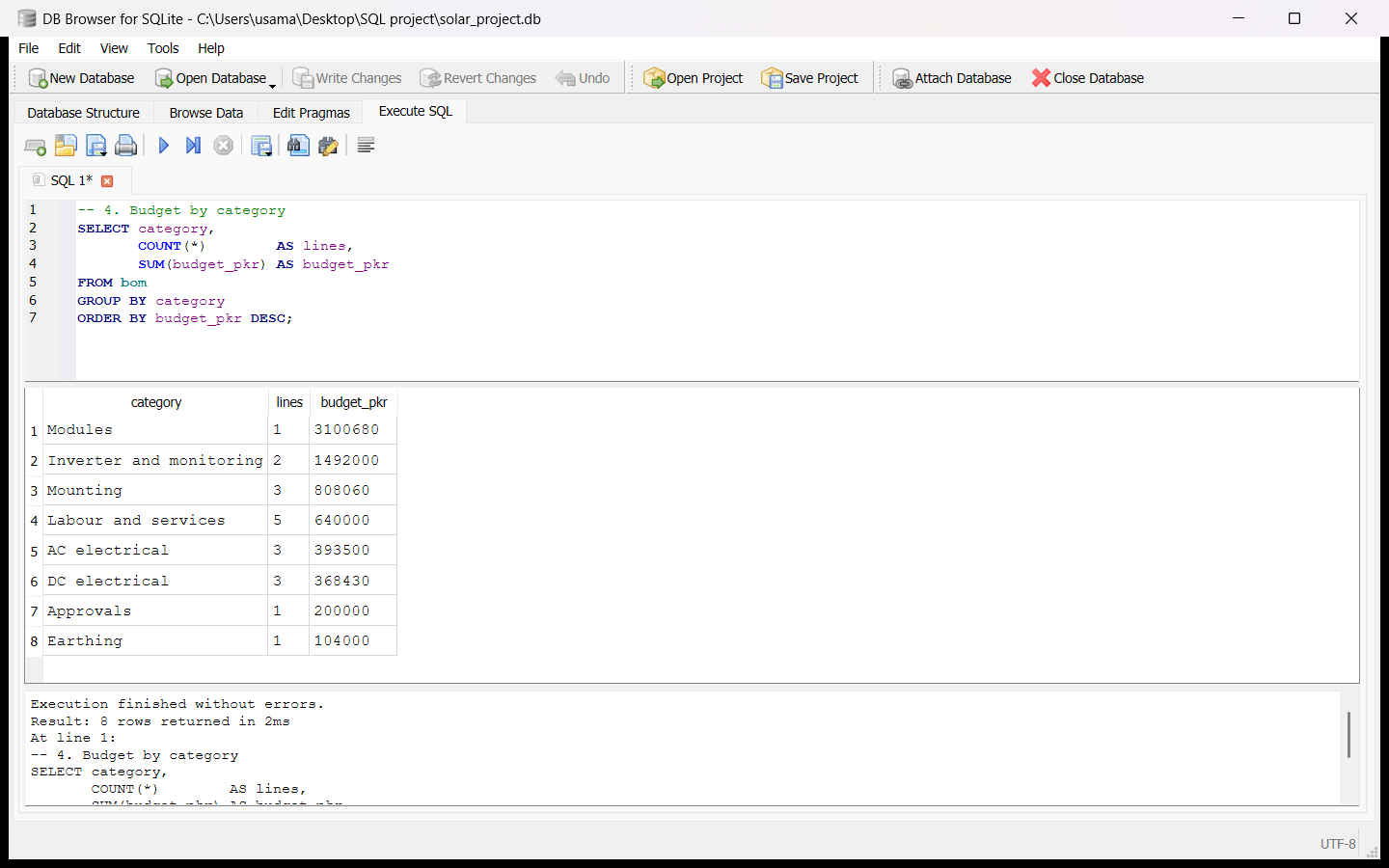
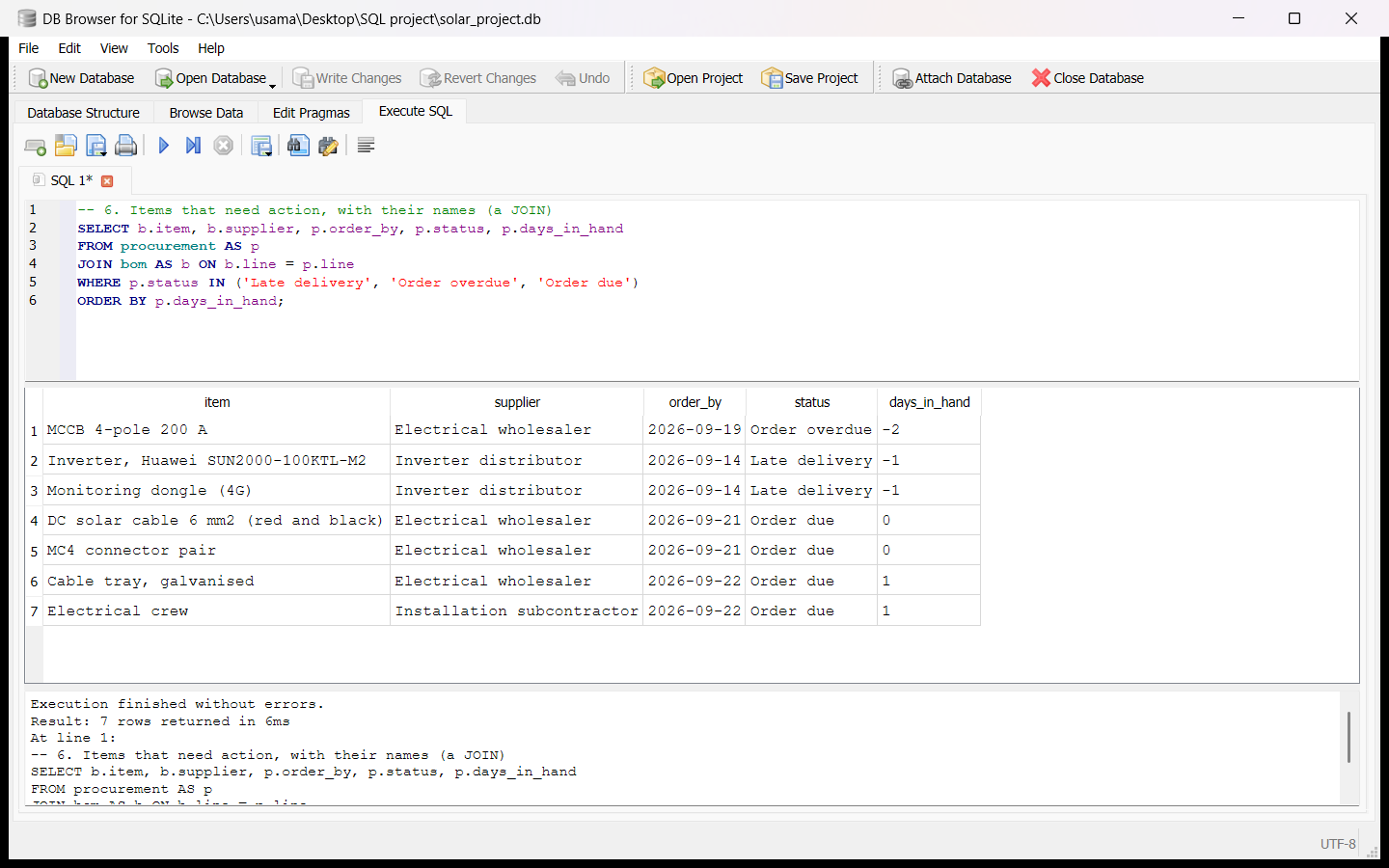
Seven queries pull out the most expensive items, the budget by category, the procurement status of every line and, through a join between the two tables, the items that need ordering or chasing, most urgent first. The results agree with the Excel workbook and the Power BI report, and as with the workbook, the PKR rates are indicative.
Download the SQL script (.sql) to build the database and run the queries.
Roof layout and simulation
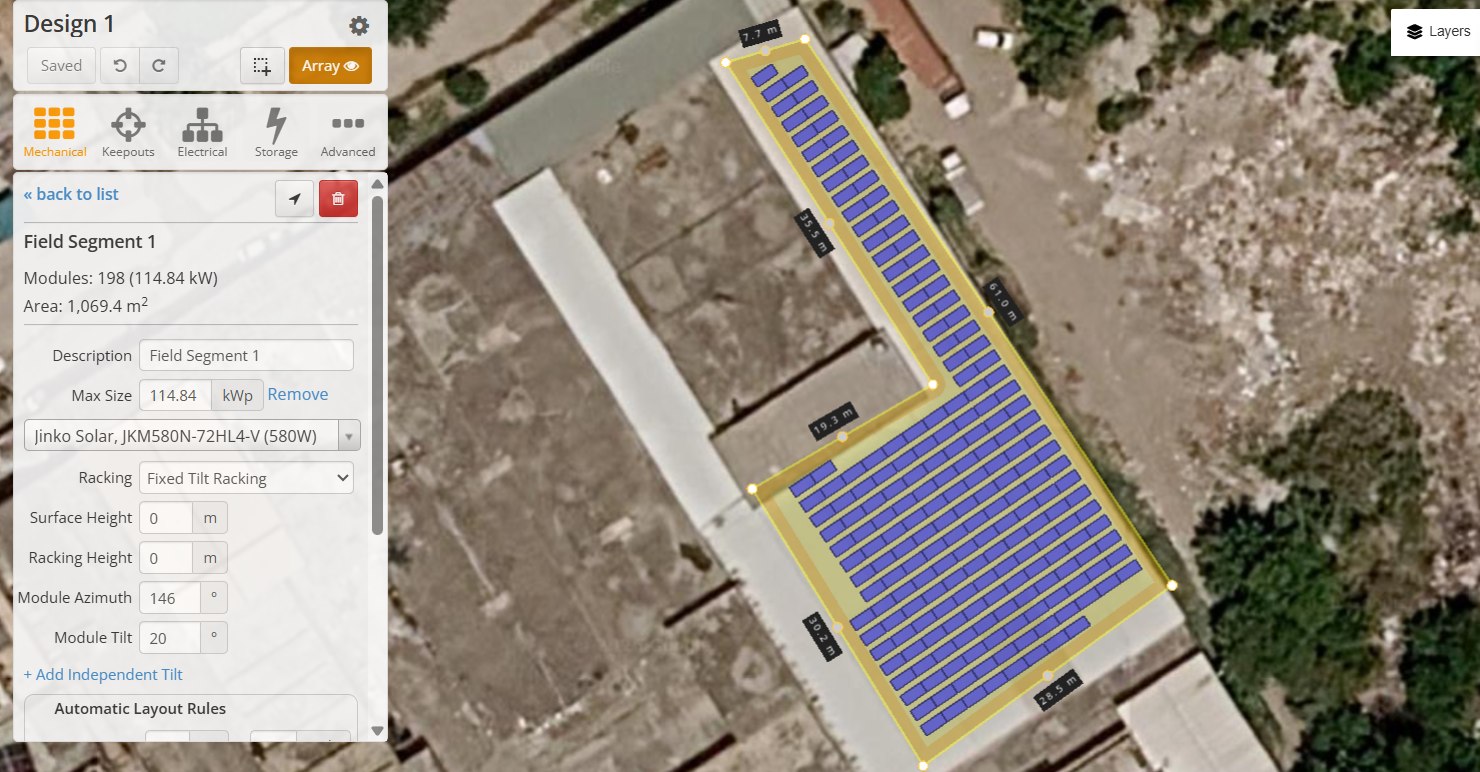
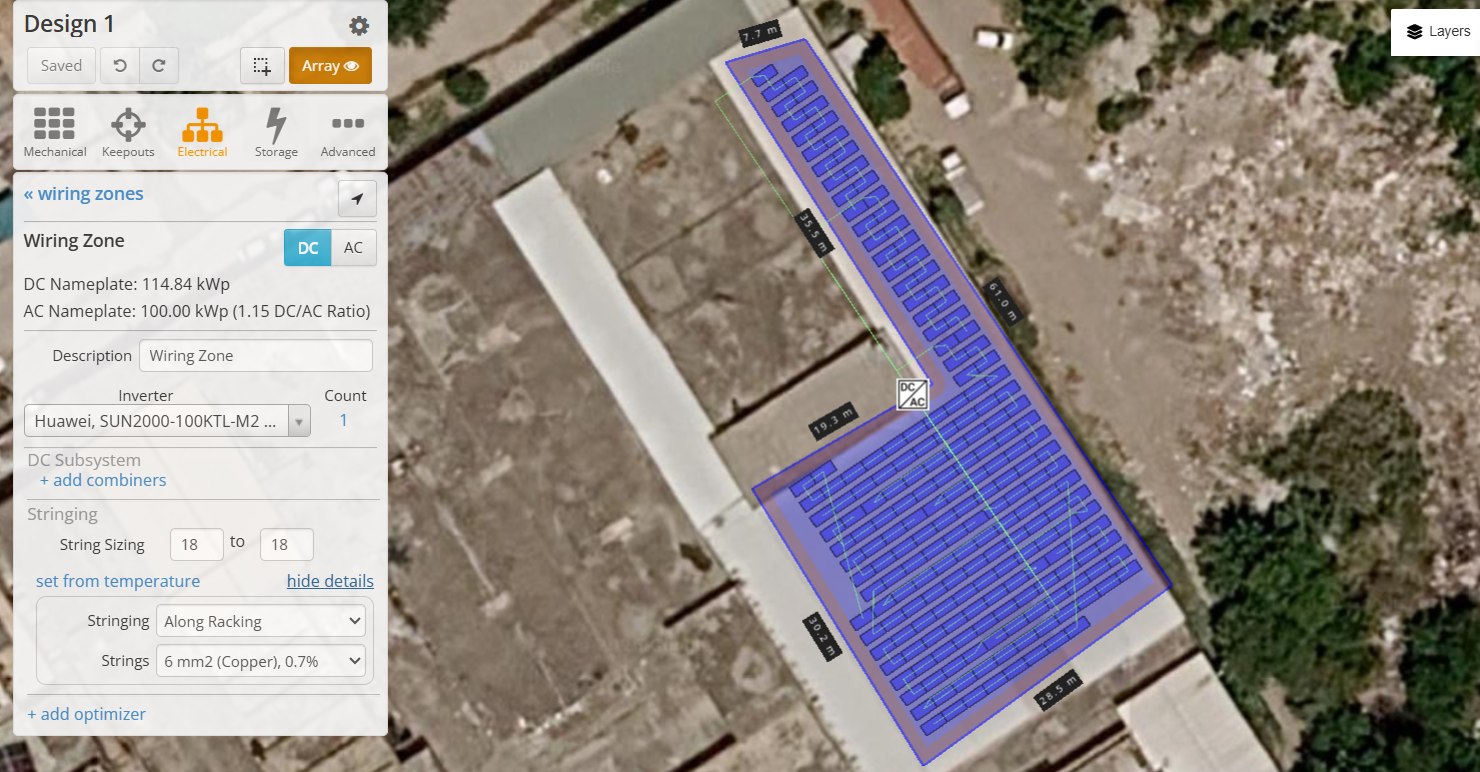
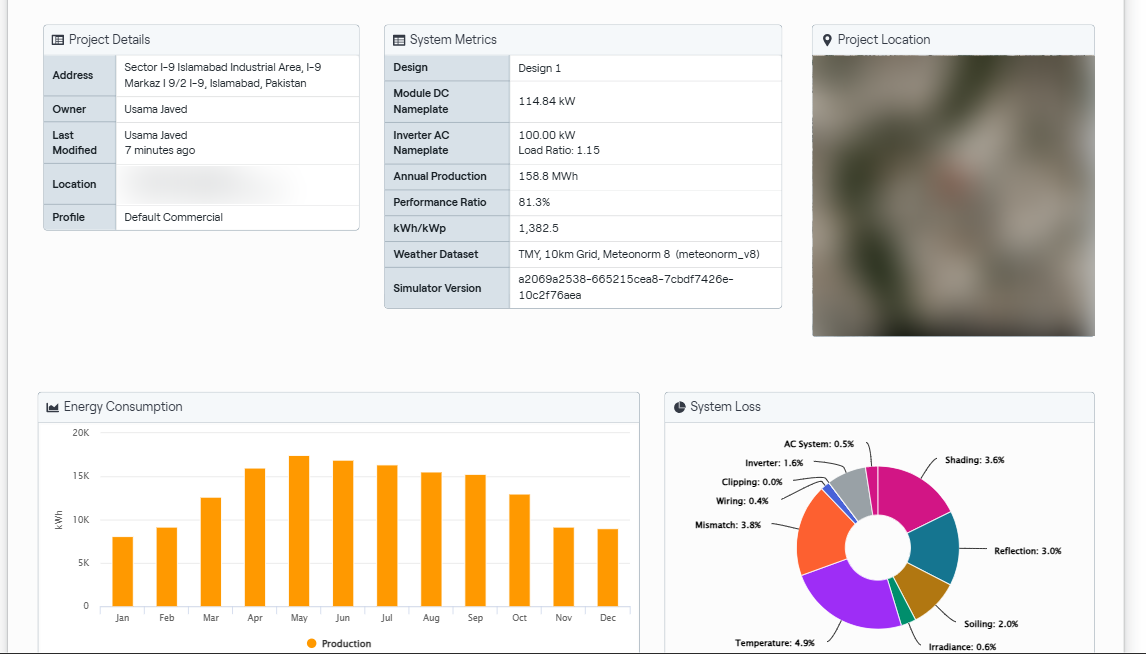
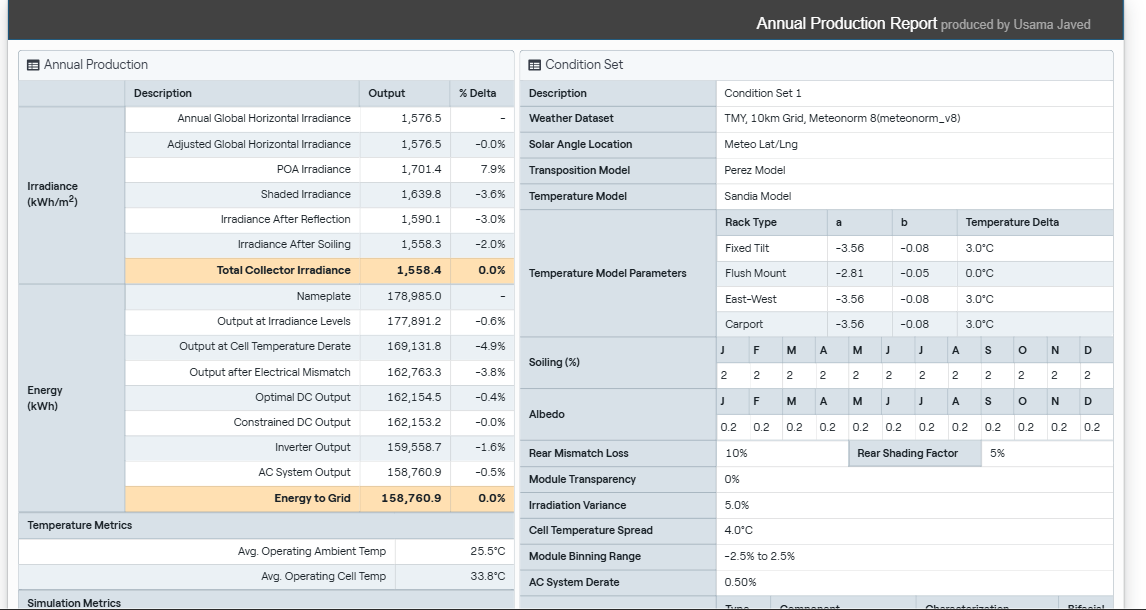
The same 115 kWp system as the Excel, Power BI, SQL and Python projects, designed in HelioScope on a commercial roof in Islamabad's I-9 industrial area: 198 Jinko 580 W modules on fixed-tilt racking at 20°, wired in 11 strings of 18 into one Huawei SUN2000-100KTL-M2 inverter (DC/AC ratio 1.15). HelioScope checked the strings at its own Islamabad design low of 0.3 °C and got 998 V; the Excel check uses a harsher -5 °C and gets 1,012 V. Both sit inside the inverter's 1,100 V limit.
The rows follow the building, at an azimuth of 146° (34° east of south), to fit all 198 modules; that costs about 2% of yield against due south. The simulation, on Meteonorm weather data, gives 158.8 MWh a year, or 1,383 kWh per kWp at a performance ratio of 81%. That is about 9% below the PVGIS figure for the same orientation, mainly because Meteonorm has 14% less sunshine for Islamabad than PVGIS's ERA5 data. It uses HelioScope's default loss settings. Shading here is row to row only: the parapets and the trees on the east side are not modelled.
Energy yield estimate
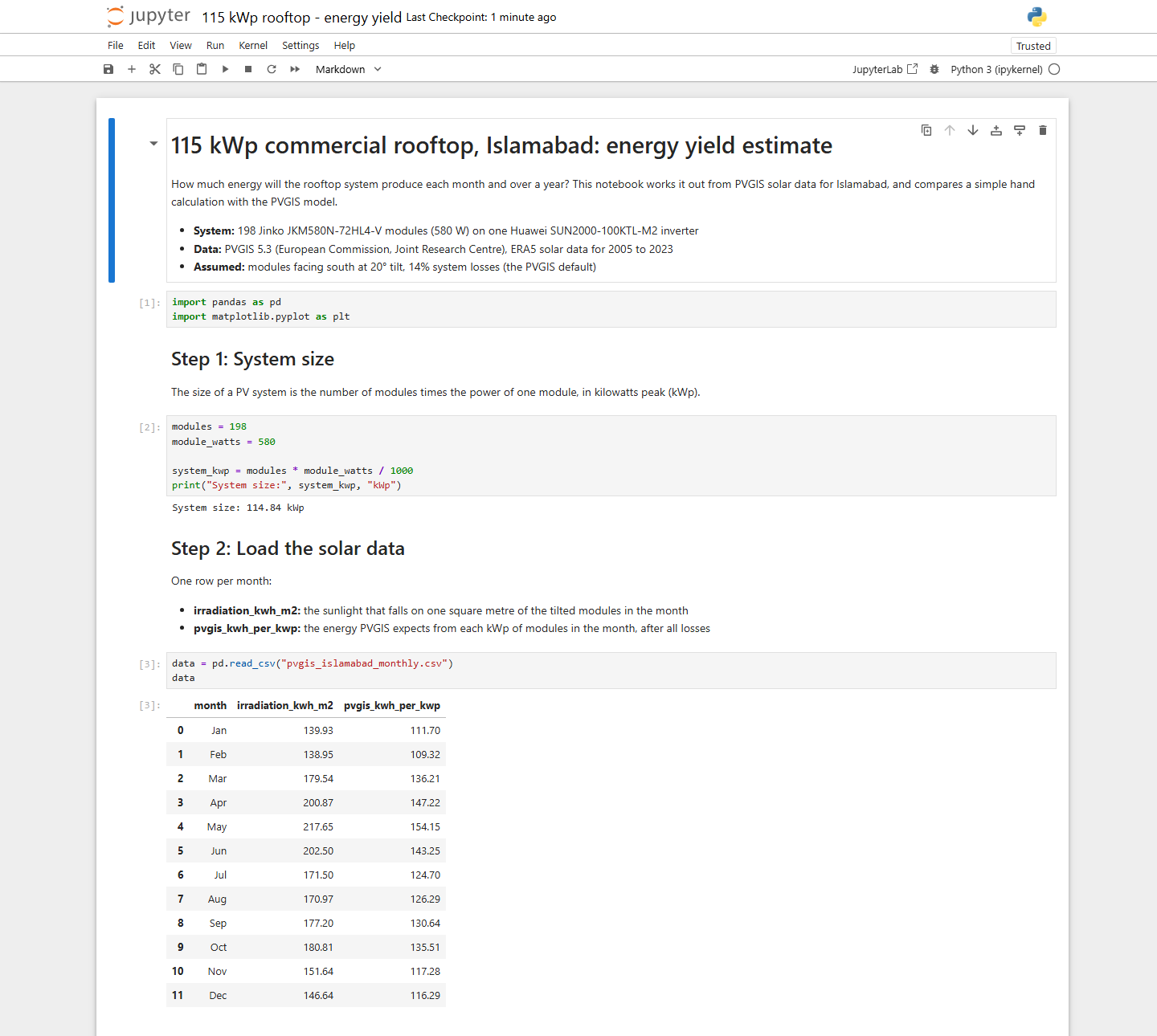
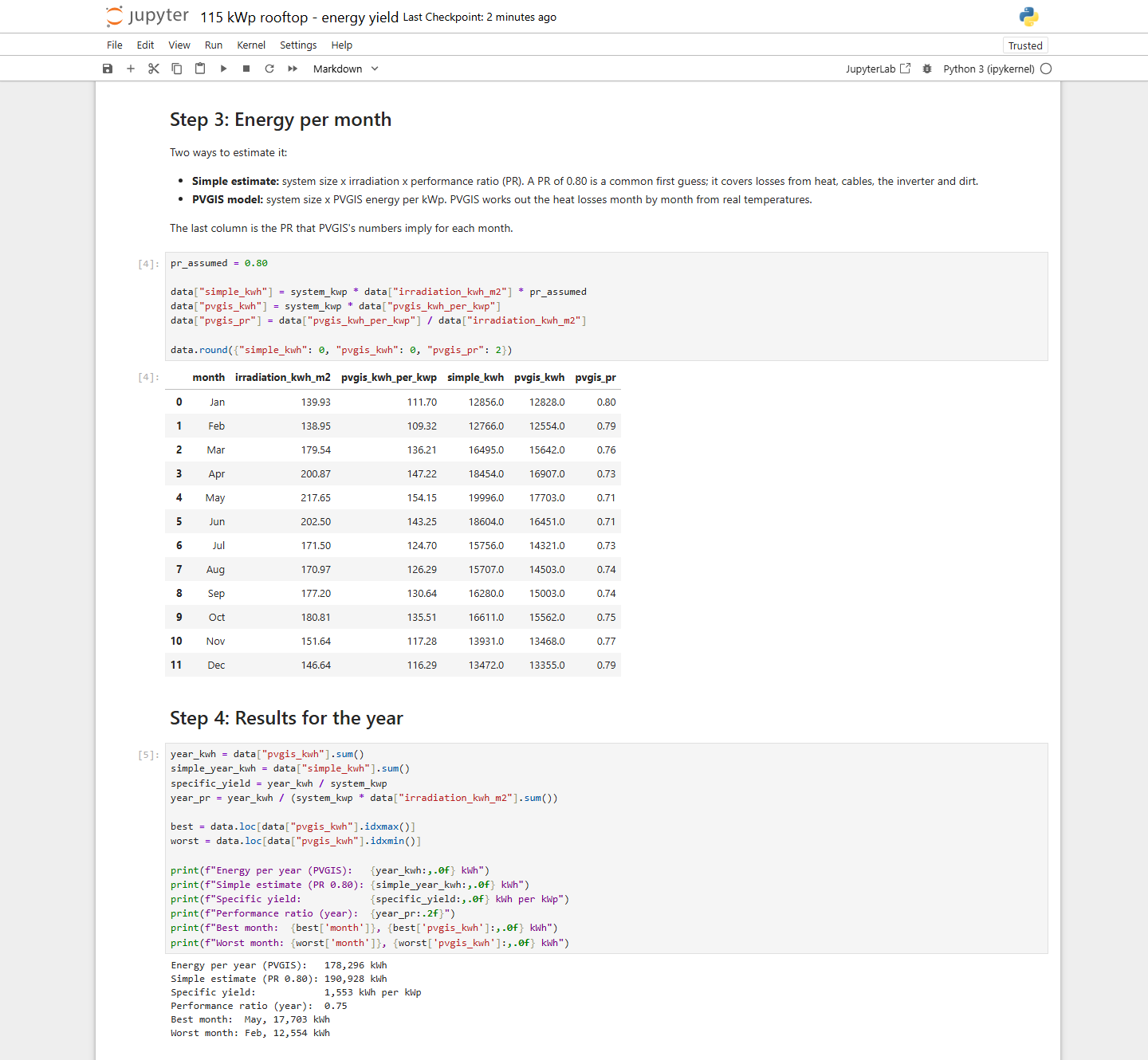
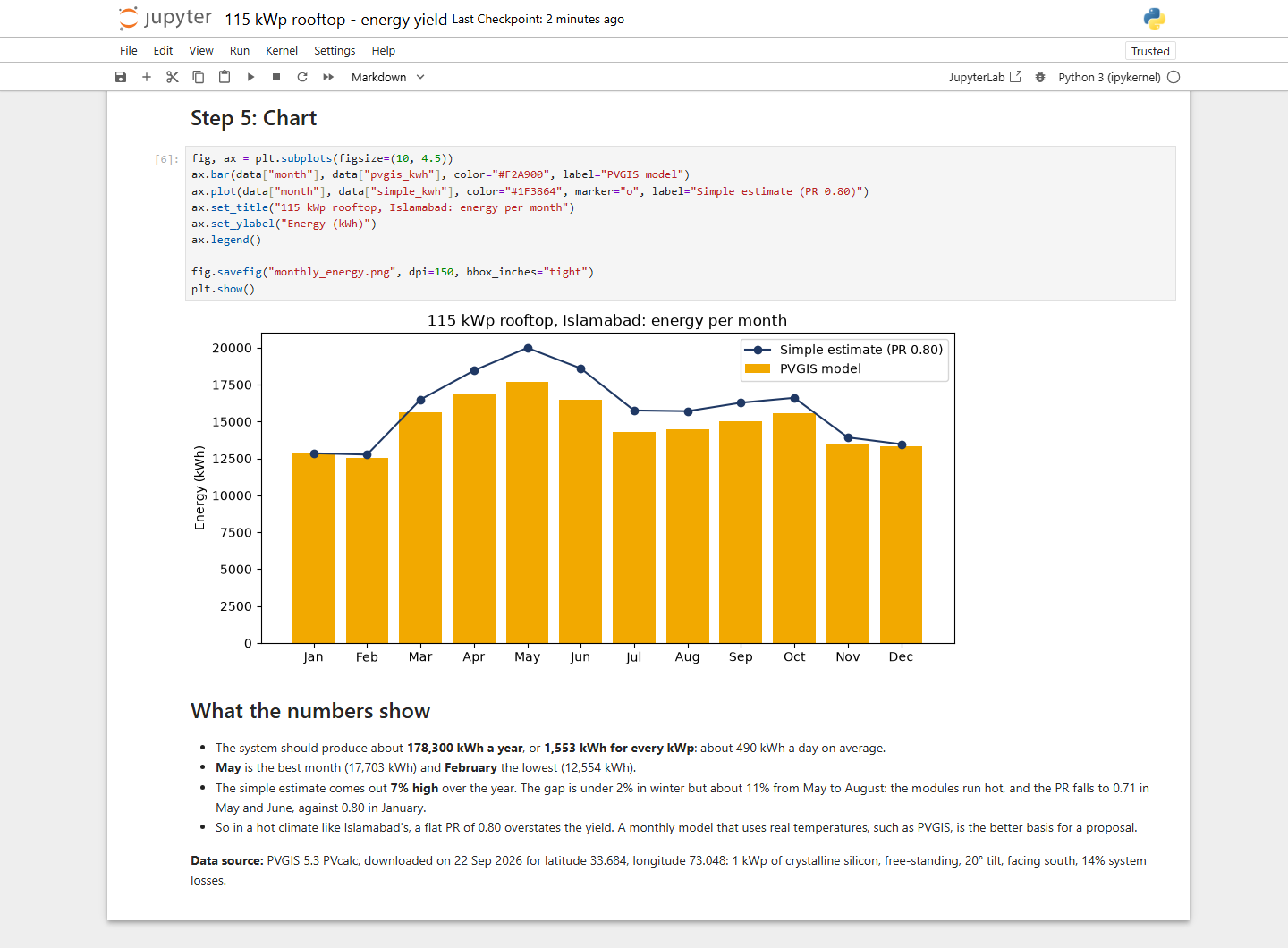
A Jupyter notebook that estimates how much energy the 115 kWp rooftop in Islamabad will produce each month and over a year. It takes the system size from the bill of materials, reads PVGIS solar data for the site (monthly averages for 2005 to 2023), and compares a simple estimate, system size x irradiation x a performance ratio of 0.80, with the PVGIS model.
The system should produce about 178,300 kWh a year, or 1,553 kWh per kWp, with May the best month and February the lowest. The simple estimate comes out 7% high: from May to August the modules run hot, and the performance ratio drops to 0.71 in May and June, so a flat 0.80 overstates the yield in Islamabad's climate. Written in Python with pandas and matplotlib; the 20° tilt follows the HelioScope design, while facing due south and 14% system losses are the model's assumptions. At the 146° azimuth the roof actually takes, PVGIS gives 1,526 kWh per kWp, about 175,300 kWh a year, so following the building costs 1.7%. HelioScope, on Meteonorm weather, gives a lower 1,383 kWh per kWp for the same layout; the gap is the weather data.
The hourly battery model for the 79 kWp PV and 63 kWh battery design study is plain Python too: 8,760 hours of PV, load, grid import and state of charge, with three control jobs in priority order. It is explained in the AutoCAD project, and the code is on GitHub.
Download the notebook (.ipynb) and the PVGIS data (.csv) to run it yourself.